Lavender Terminal
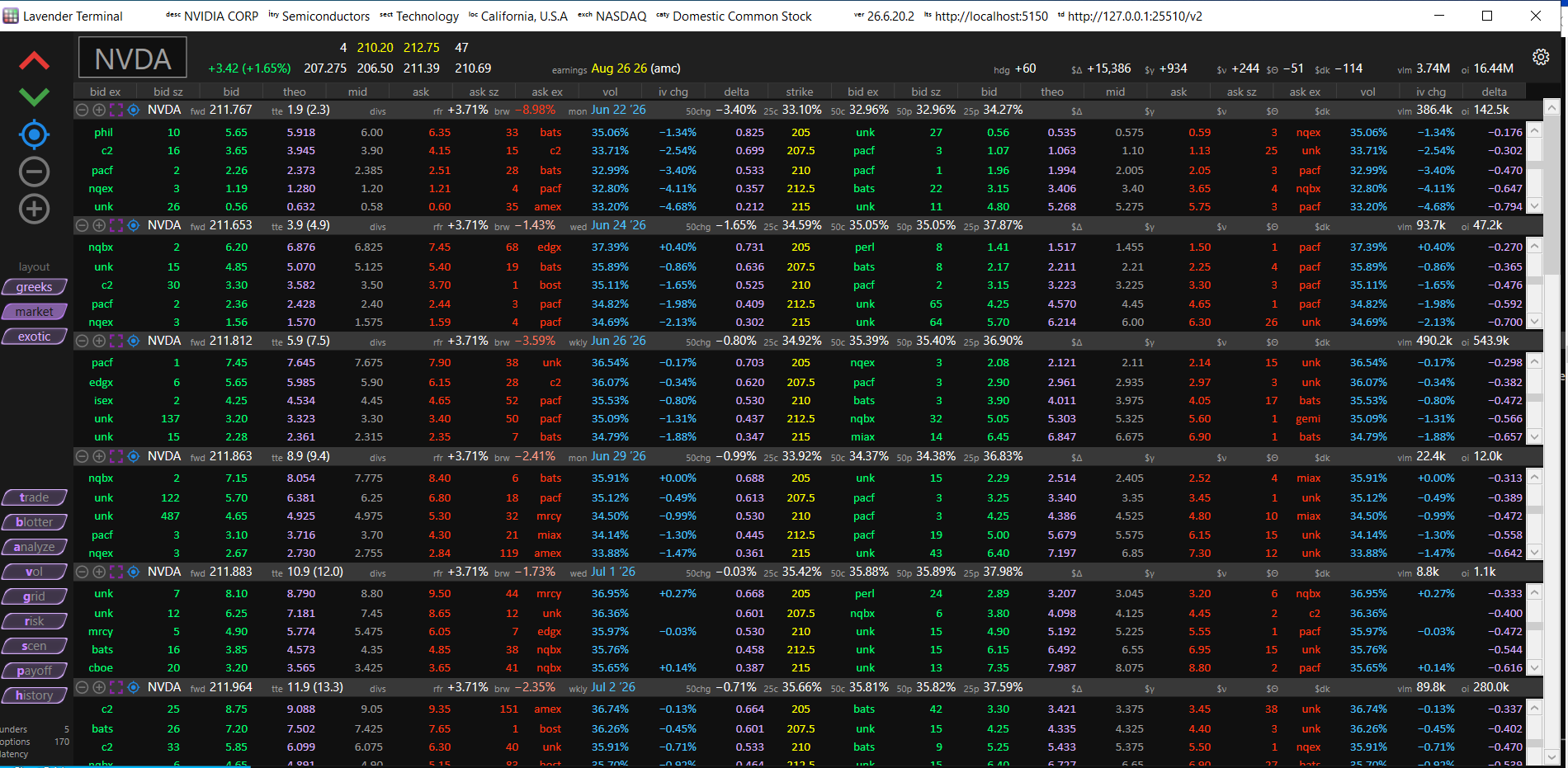
Lavender Terminal is a Windows desktop app for options traders — a live option-chain Montage, a 3D volatility visualizer, a wall of analytical charts, full positions and risk, scenario analysis, and a paper-trading ticket. Every number is Lavender's own independently computed Greeks, across the entire OPRA universe.
Terminal trades on Lavender's paper book, and it works the moment you open it. Connect your own market-data feed or broker when you're ready: broker connections are read-only, so Terminal never places an order with your broker.
Get Lavender Terminal
Windows 10 or later. Download: download.lavender-ts.com/Terminal.exe. Start a 7-day free trial (credit card required) at lavender-ts.com/terminal — $390/seat/month, month to month, no exchange fees.
What's inside
- Montage — your live option chain, repriced continuously; click a contract and the whole desktop follows.
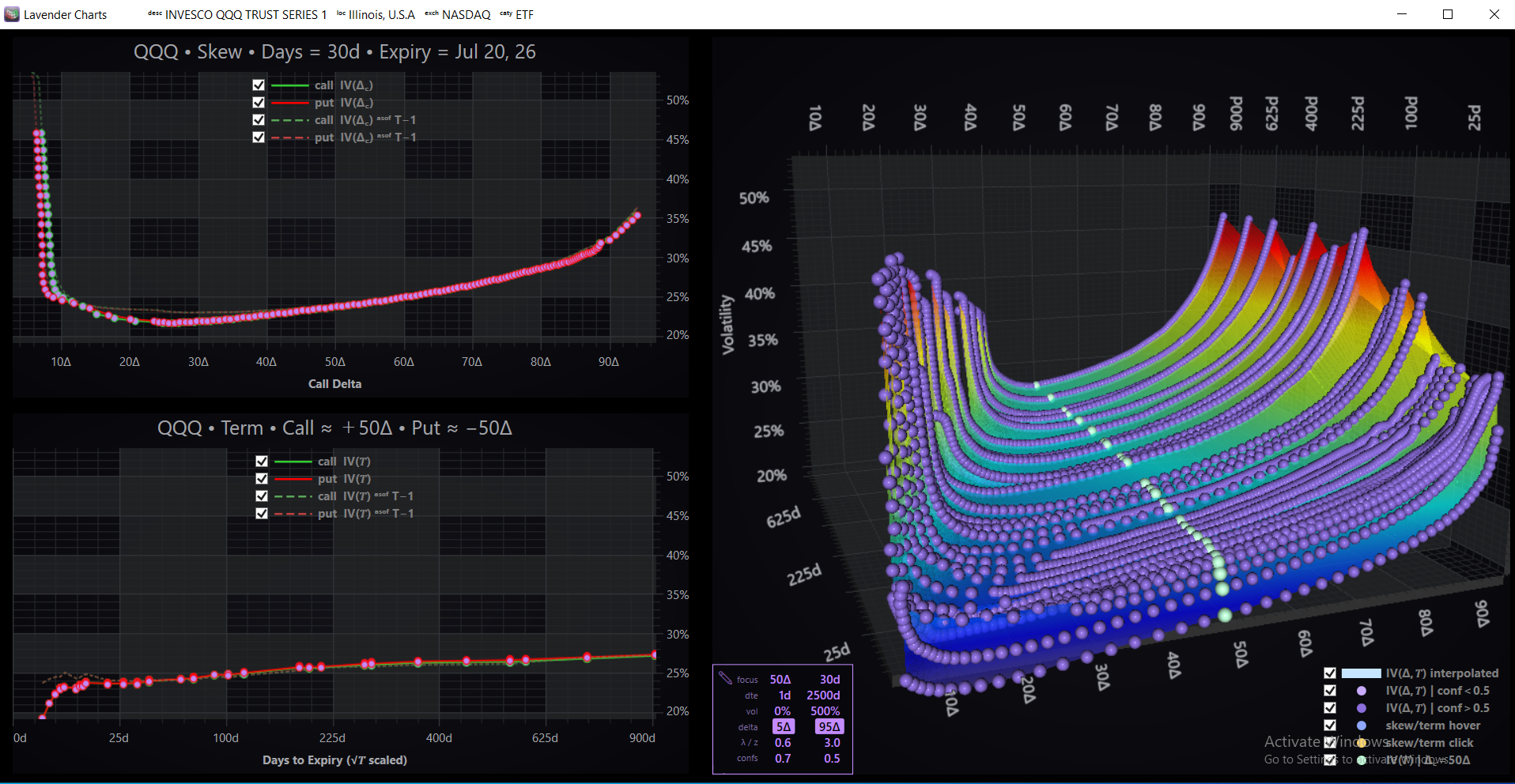
- Volatility charts — a 3D implied-volatility surface you can spin, with skew and term views beside it.
- Chart grid — a wall of live analytical charts that follows the name you're looking at.
- Positions & risk — your whole book, grouped and totaled in dollar Greeks.
- Scenarios — your book marked across spot and vol shocks, and forward in time.
- Payoff and analytics — a fully priced risk profile, and an analytics workspace for any name.
- P&L History — your book's P&L over past days, and what drove it.
- Paper trade ticket and blotter — multi-leg paper orders priced live as you build them, and your fills as they happen on Lavender's paper book.
Built on Lavender's Greeks
Every value in Terminal comes from the same engine behind the Lavender API — independently computed, dividend- and early-exercise-aware Greeks across the full OPRA universe. Bring your own market-data feed (ThetaData, AlphaVantage, DataBento) and broker (Interactive Brokers, Tastytrade, Tradier) to light it up with live quotes and your live positions (the broker connection is read-only) — or explore it as-is on Lavender's paper book. For a worked result, see Verify the Greeks.
Get started
- Start your free trial. 7 days free, credit card required — $390/seat/month, month to month, no exchange fees. Sign up at lavender-ts.com/terminal.
- Download for Windows. Get the app at download.lavender-ts.com/Terminal.exe. On first launch the freshly signed app may trip Windows SmartScreen — choose More info → Run anyway.
- Open it. Terminal starts on Lavender's paper book immediately — nothing to configure.
- Connect your own data and broker when you're ready: market data (ThetaData, AlphaVantage, DataBento) and broker (Interactive Brokers, Tastytrade, Tradier). The broker connection is read-only; orders in Terminal are paper orders.
Questions? Email support@lavender-ts.com.