Quickstart
Prerequisites
- OS: Windows 10+ or Windows Server 2016+ (macOS and Linux are not currently supported)
- Disk: ~150 MB (self-contained, no additional components required)
- Network: Outbound HTTPS access (the gateway pulls market data and validates your subscription)
1. Start the Gateway
- Subscribe at gateway.lavender-ts.com
- Check your email for the download link and credentials
- Run
Lavender.exeand enter the email associated with your subscription - The gateway starts on
localhost:2112
Didn't receive the email?
Check your spam folder. If it's not there, contact info@lavender-ts.com or visit gateway access for next steps.
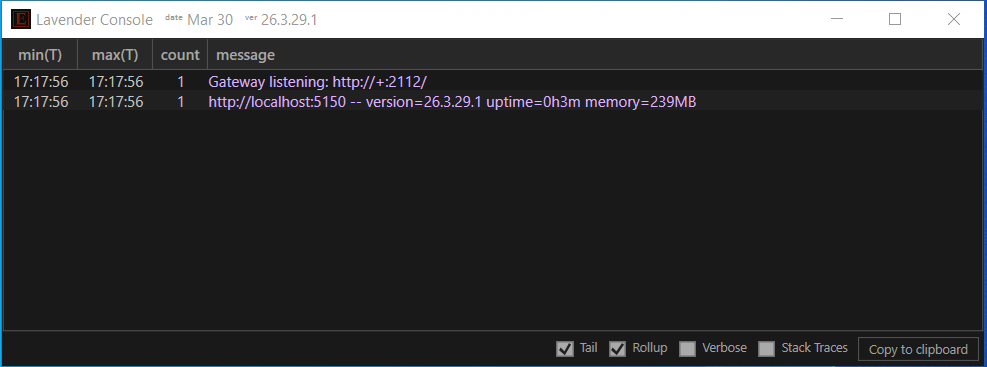
What you should see
After launching, the gateway starts immediately and localhost:2112 is ready to accept requests.
Troubleshooting
- "Email not recognized" — verify you're using the exact email from your subscription confirmation
- Port 2112 already in use — close any other application on that port and relaunch
- No data appearing — ensure outbound HTTPS is not blocked by a firewall or VPN
- Still stuck? Contact info@lavender-ts.com or ask in Discord
2. Try It in Your Browser
Once the gateway is running, paste this into any browser:
A full chain of Greeks rendered as an HTML table — no API key, no code, no setup. Change the symbol and refresh.
Every endpoint supports format=html
Append &format=html (or ?format=html) to any Lavender endpoint — including all vendor compatibility endpoints — and you get a rendered table in your browser. Great for quick inspection, spot-checking Greeks, or sharing a link with a colleague.
Already Using a Vendor?
If you have existing code that fetches option Greeks from one of these vendors, you can point it at the gateway by changing the host — no other code changes needed. Your existing API keys are accepted and ignored.
Paste one of these into your browser to see Greeks through your vendor's endpoint right now:
Same data, same wire format your code already expects — just rendered as a table. When you're ready to integrate, swap the host in your existing code and the JSON/CSV response works unchanged.
Starting Fresh?
If you're not migrating from a vendor, start with the Lavender native API. All endpoints support four output formats: JSON, CSV, NDJSON, and HTML.
Fetch option Greeks
using var client = new HttpClient();
var json = await client.GetStringAsync(
    "http://localhost:2112/l1/greeks?root=SPY&format=json");

using var doc = JsonDocument.Parse(json);
foreach (var row in doc.RootElement.EnumerateArray().Take(5))
{
    Console.WriteLine($"{row.GetProperty("expiry")} " +
        $"{row.GetProperty("strike")} {row.GetProperty("right")}: " +
        $"delta={row.GetProperty("delta")}");
}
#include <cpr/cpr.h>
#include <nlohmann/json.hpp>
using json = nlohmann::json;

auto r = cpr::Get(cpr::Url{
    "http://localhost:2112/l1/greeks?root=SPY&format=json"});
auto data = json::parse(r.text);

for (auto& row : data | std::views::take(5))
    std::cout << row["expiry"] << " " << row["strike"]
              << " delta=" << row["delta"] << "\n";
var client = HttpClient.newHttpClient();
var request = HttpRequest.newBuilder()
    .uri(URI.create(
        "http://localhost:2112/l1/greeks?root=SPY&format=json"))
    .build();

var response = client.send(request, HttpResponse.BodyHandlers.ofString());
var array = new JSONArray(response.body());
for (int i = 0; i < Math.min(5, array.length()); i++) {
    var row = array.getJSONObject(i);
    System.out.printf("%s %.0f %s: delta=%.3f%n",
        row.getString("expiry"), row.getDouble("strike"),
        row.getString("right"), row.getDouble("delta"));
}
Want extended Greeks? Add greeks=all to include second and third-order Greeks (vanna, charm, volga, speed, color, and more). See the Lavender API reference for all field groups and Greek conventions for the full catalog.
Montage
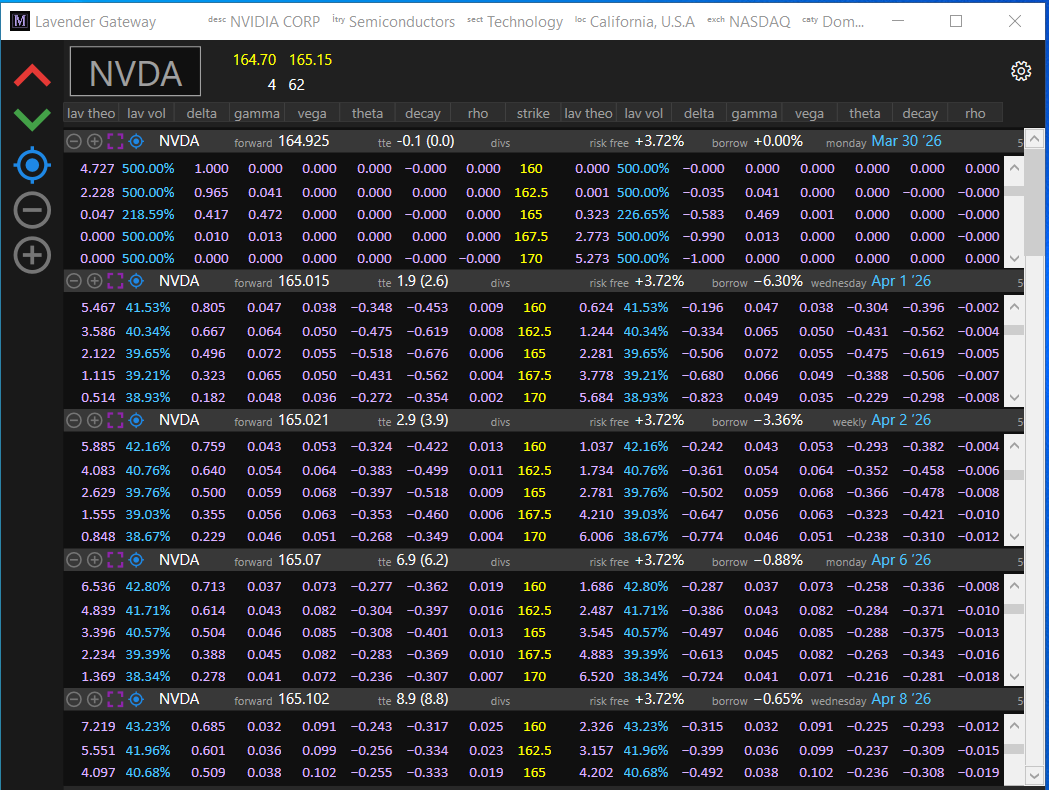
The gateway includes a real-time visual montage for browsing option chains, Greeks, and volatility surfaces across the full OPRA universe.
Next steps
- Greek conventions — sign conventions, units, and the full extended Greeks catalog
- Lavender API — native endpoints with quality metadata and the Montage